Spring boot 버전업과 Security Config
WebSecurityConfig 버전 변경에 따른 대처
문제 발생
2.7.16 → 3.1.4 버전 변경에 따른 Deprecated 문제
아래 링크의 WebSecurityConfig 코드를 3.1.4. 버전에서 사용한 결과
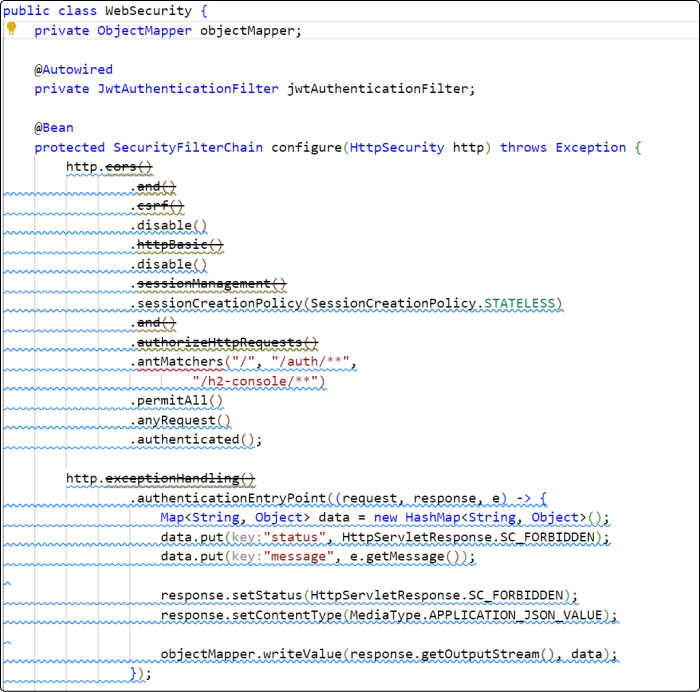
해당 코드를 이전 버전과 동일하게 사용이 불가능
문제 해결 과정
HttpSecurity 문제 일부 해결
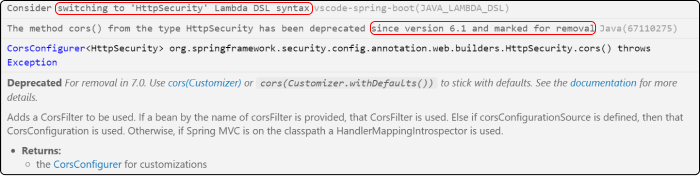
- 위의 이미지와 같이 HttpSecurity를 람다식으로 변경하라는 메세지와 6.1 버전부터 이전과 같이 사용할 수 없다는 메시지가 출력됨
그에 따라 아래의 두 북마크 페이지 참조
- 참조 후 코드
1
2
3
4
5
6
7
8
9
10
11
12
13
14
15
16
17
18
19
20
21
22
23
24
25
26
27
28
29
30
31
32
33
34
35
36
37
38
39
40
41
42
43
44
45
46
47
48
49
50
51
52
53
54
55
56
57
58
59
60
61
62
63
64
65
66
67
68
69
70
71
72
73
74
75
76
77
78
79
80
81
82
83
84
85
86
package com.example.todo314.config;

import java.util.HashMap;
import java.util.Map;

import jakarta.servlet.http.HttpServletResponse;

import org.springframework.beans.factory.annotation.Autowired;
import org.springframework.context.annotation.Bean;
import org.springframework.context.annotation.Configuration;
import org.springframework.http.MediaType;
import org.springframework.security.config.annotation.method.configuration.EnableMethodSecurity;
import org.springframework.security.config.annotation.web.builders.HttpSecurity;
import org.springframework.security.config.annotation.web.configuration.EnableWebSecurity;
import org.springframework.security.config.annotation.web.configurers.AbstractHttpConfigurer;
import org.springframework.security.config.http.SessionCreationPolicy;
import org.springframework.security.web.SecurityFilterChain;
import org.springframework.security.web.authentication.UsernamePasswordAuthenticationFilter;
import org.springframework.security.web.util.matcher.AntPathRequestMatcher;
import org.springframework.web.filter.CorsFilter;

import com.example.todo314.security.JwtAuthenticationFilter;
import com.fasterxml.jackson.databind.ObjectMapper;

import lombok.extern.slf4j.Slf4j;

@Slf4j
@Configuration
@EnableWebSecurity
@EnableMethodSecurity
public class WebSecurityConfig {

    private final ObjectMapper objectMapper;

    @Autowired
    public WebSecurityConfig(ObjectMapper objectMapper) {
        this.objectMapper = objectMapper;
    }

    @Autowired
    private JwtAuthenticationFilter jwtAuthenticationFilter;

    @Bean
    protected SecurityFilterChain configure(HttpSecurity http) throws Exception {
        http.csrf(AbstractHttpConfigurer::disable);
        http.httpBasic(basic -> basic.disable());
        http.cors();
        http.headers(headers -> headers.frameOptions(frame -> frame.disable()).disable());
        http.sessionManagement(session -> session.sessionCreationPolicy(SessionCreationPolicy.STATELESS));
        http.authorizeHttpRequests(auth -> {
            try {
                auth
                        .requestMatchers(
                                new AntPathRequestMatcher("/"),
                                new AntPathRequestMatcher("/auth/**"),
                                new AntPathRequestMatcher("/h2-console/**"))
                        .permitAll();
            } catch (Exception e) {
                e.printStackTrace();
            }
        });

        http.exceptionHandling(except -> {
            except.authenticationEntryPoint((request, response, e) -> {
                Map<String, Object> data = new HashMap<String, Object>();
                data.put("status", HttpServletResponse.SC_FORBIDDEN);
                data.put("message", e.getMessage());

                response.setStatus(HttpServletResponse.SC_FORBIDDEN);
                response.setContentType(MediaType.APPLICATION_JSON_VALUE);

                objectMapper.writeValue(response.getOutputStream(), data);
            });
        });

        http.addFilterBefore(jwtAuthenticationFilter,
                UsernamePasswordAuthenticationFilter.class);
        http.addFilterBefore(jwtAuthenticationFilter,
                UsernamePasswordAuthenticationFilter.class);
        http.addFilterAfter(jwtAuthenticationFilter, CorsFilter.class);

        http.authorizeHttpRequests(request -> request.anyRequest().authenticated());

        return http.build();
    }
}
해당 코드의 경우 cors() 메소드에서 경고 메세지가 출력되고 있었다.
- 실행 결과
프론트엔드 실행 결과
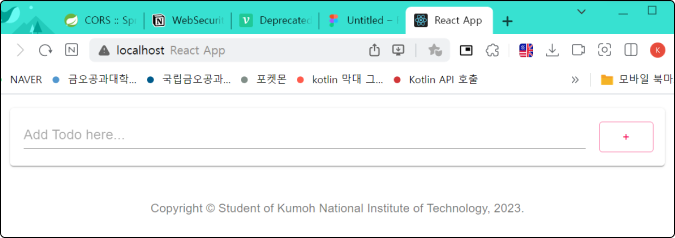
콘솔 오류 메세지

- cors() 메소드에서 문제가 발생하여 정상적으로 실행되지 않았다.
HttpSecurity cors() 메소드 문제 해결
해당 문제를 해결을 위해 Spring Security 문서를 읽던 도중 아래의 북마크를 발견하였다.
위의 북마크 내용을 토대로 CorsFilter에 CorsConfigurationSource를 적용한 코드
1
2
3
4
5
6
7
8
9
10
11
12
13
14
15
16
17
18
19
20
21
22
23
24
25
26
27
28
29
30
31
32
33
34
35
36
37
38
39
40
41
42
43
44
45
46
47
48
49
50
51
52
53
54
55
56
57
58
59
60
61
62
63
64
65
66
67
68
69
70
71
72
73
74
75
76
77
78
79
80
81
82
83
84
85
86
87
88
89
90
91
92
93
94
95
96
97
98
99
100
101
102
103
104
105
106
107
package com.example.todo314.config;

import java.util.HashMap;
import java.util.Map;

import jakarta.servlet.http.HttpServletResponse;

import org.springframework.beans.factory.annotation.Autowired;
import org.springframework.context.annotation.Bean;
import org.springframework.context.annotation.Configuration;
import org.springframework.http.MediaType;
import org.springframework.security.config.annotation.method.configuration.EnableMethodSecurity;
import org.springframework.security.config.annotation.web.builders.HttpSecurity;
import org.springframework.security.config.annotation.web.configuration.EnableWebSecurity;
import org.springframework.security.config.annotation.web.configurers.AbstractHttpConfigurer;
import org.springframework.security.config.http.SessionCreationPolicy;
import org.springframework.security.web.SecurityFilterChain;
import org.springframework.security.web.authentication.UsernamePasswordAuthenticationFilter;
import org.springframework.security.web.util.matcher.AntPathRequestMatcher;
import org.springframework.web.cors.CorsConfiguration;
import org.springframework.web.cors.CorsConfigurationSource;
import org.springframework.web.cors.UrlBasedCorsConfigurationSource;
import org.springframework.web.filter.CorsFilter;

import com.example.todo314.security.JwtAuthenticationFilter;
import com.fasterxml.jackson.databind.ObjectMapper;

import lombok.extern.slf4j.Slf4j;

@Slf4j
@Configuration
@EnableWebSecurity
@EnableMethodSecurity
public class WebSecurityConfig {

    private final ObjectMapper objectMapper;

    @Autowired
    public WebSecurityConfig(ObjectMapper objectMapper) {
        this.objectMapper = objectMapper;
    }

    @Autowired
    private JwtAuthenticationFilter jwtAuthenticationFilter;

    @Bean
    protected SecurityFilterChain configure(HttpSecurity http) throws Exception {
        http.csrf(AbstractHttpConfigurer::disable);
        http.cors(cors -> cors.configurationSource(corsConfigurationSource()));
        http.httpBasic(basic -> basic.disable());
        http.headers(headers -> headers.frameOptions(frame -> frame.disable()).disable());
        http.sessionManagement(session -> session.sessionCreationPolicy(SessionCreationPolicy.STATELESS));
        http.authorizeHttpRequests(auth -> {
            try {
                auth
                        .requestMatchers(
                                new AntPathRequestMatcher("/"),
                                new AntPathRequestMatcher("/auth/**"),
                                new AntPathRequestMatcher("/h2-console/**"))
                        .permitAll();
            } catch (Exception e) {
                e.printStackTrace();
            }
        });

        http.exceptionHandling(except -> {
            except.authenticationEntryPoint((request, response, e) -> {
                Map<String, Object> data = new HashMap<String, Object>();
                data.put("status", HttpServletResponse.SC_FORBIDDEN);
                data.put("message", e.getMessage());

                response.setStatus(HttpServletResponse.SC_FORBIDDEN);
                response.setContentType(MediaType.APPLICATION_JSON_VALUE);

                objectMapper.writeValue(response.getOutputStream(), data);
            });
        });

        http.addFilterBefore(jwtAuthenticationFilter,
                UsernamePasswordAuthenticationFilter.class);
        http.addFilterBefore(jwtAuthenticationFilter,
                UsernamePasswordAuthenticationFilter.class);
        http.addFilterAfter(jwtAuthenticationFilter, CorsFilter.class);

        http.authorizeHttpRequests(request -> request.anyRequest().authenticated());

        return http.build();
    }

    @Bean
    public CorsConfigurationSource corsConfigurationSource() {
        final long MAX_AGE_SECS = 3600;
        UrlBasedCorsConfigurationSource source = new UrlBasedCorsConfigurationSource();
        CorsConfiguration config = new CorsConfiguration();
        config.setAllowCredentials(true);
        config.addAllowedOriginPattern("*");
        config.addAllowedHeader("*");
        config.addAllowedMethod("GET");
        config.addAllowedMethod("POST");
        config.addAllowedMethod("PUT");
        config.addAllowedMethod("DELETE");
        config.addAllowedMethod("OPTIONS");
        config.setMaxAge(MAX_AGE_SECS);
        source.registerCorsConfiguration("/**", config);
        return source;
    }
}
- 실행 결과
프론트엔드 실행 결과
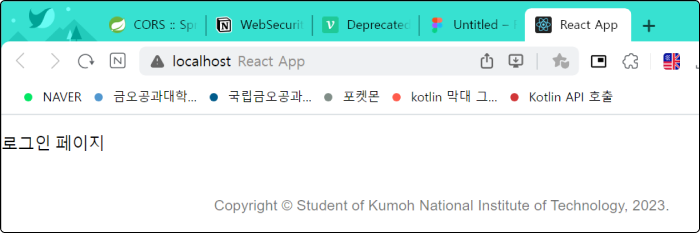
Postman 실행 결과 (POST, /auth/singin)
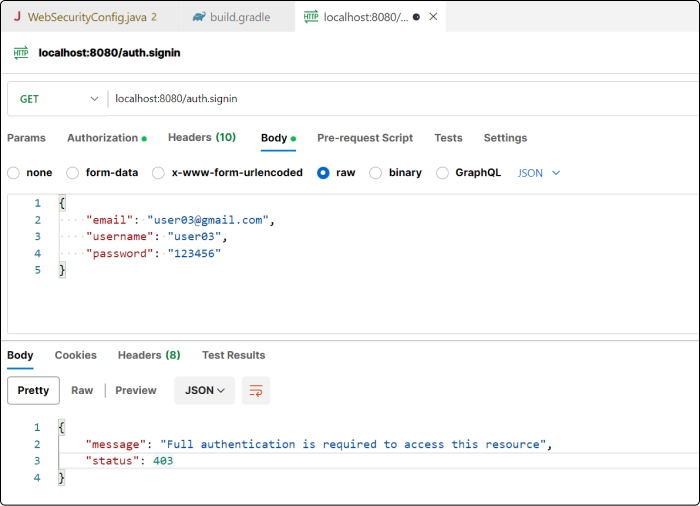
백엔트 콘솔 오류 메세지

- cors() 메소드 문제는 해결되었지만 DatatypeConverter 바인딩이 되지 않는 오류가 발생하였다.
DatatypeConverter 바인딩 문제
해당 문제를 해결하기 위해 구글에서 검색 중 아래의 북마크를 발견하였다.
[Error log] Spring Boot / JWT 생성 javax/xml/bind/DatatypeConverter 에러
위의 북마크 내용을 토대로 의존성을 build.gradle에 추가한 결과
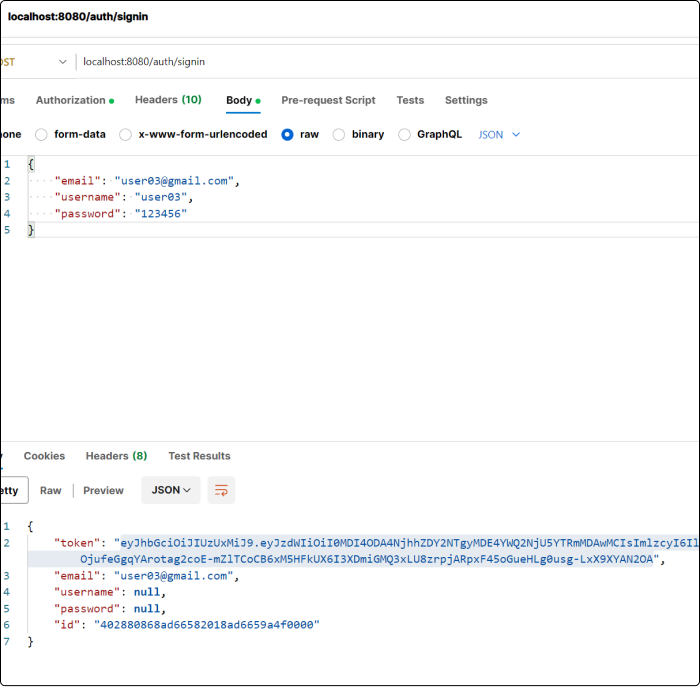
정상적으로 토큰이 생성되는 것을 확인할 수 있었다.
이 기사는 저작권자의 CC BY 4.0 라이센스를 따릅니다.